solidSF Demo
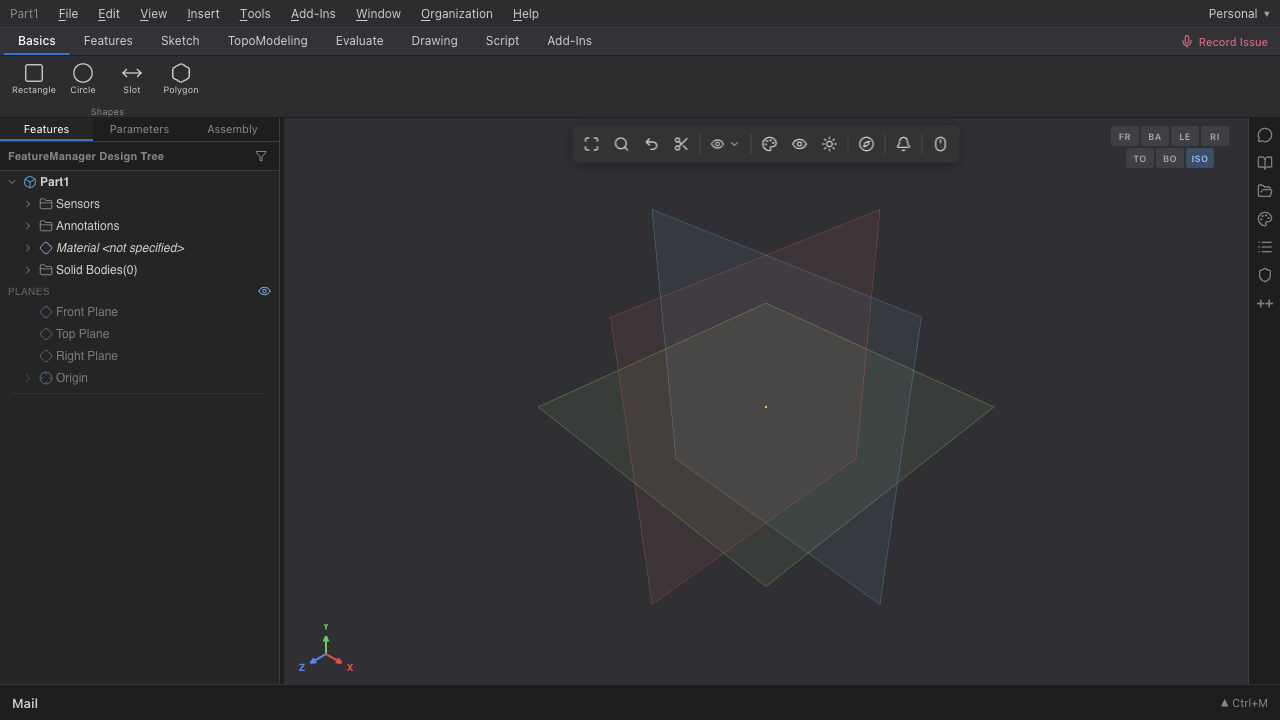
Try browser CAD without signup. AI-native parametric modeling at $29/month, a Rust kernel, and a real feature tree — opened in a tab, no install. This online CAD demo is the live product, not a video.
Product
Parametric CAD demo with a real feature spine.
solidSF keeps the surface familiar: feature history, sketches, bodies, assemblies, and shareable browser workspaces. The new wedge is that design state can be handed to AI systems without exporting a mess of files. Try CAD online with the agentic loop already wired in.
Target price
$29/mo
A professional CAD price that invites experiments.
Deployment
Zero install
Sketch, feature, review, and share from the browser.
Direction
AI-native
Geometry workflows built for agentic iteration.
| Layer | What matters | Status |
|---|---|---|
| CAD core | Parametric operations, sketches, constraints, bodies. | Active |
| Gateway | Keep browser sessions responsive while heavy work moves behind the gateway. | Health first |
| AI loops | Expose design intent and model operations to repeatable agent workflows. | Wedge |
FAQ
Browser CAD demo questions
What you need to know before you try CAD online.
Is this real CAD?
Yes. solidSF is a real parametric CAD system with sketches, constraints, feature history, bodies, assemblies, drawings, and CAM. It runs on a custom Rust kernel, not a viewer or a toy. The browser CAD demo shows the actual workspace, not a marketing mockup.
Do I need to sign up?
No signup is required to try the browser CAD demo. You can sketch, extrude, and explore the feature tree without an account. Saving private documents, sharing, and CAM export require an account with saving enabled at solidsf.com.
What can I make in the online CAD demo?
Parts, assemblies, sheet metal, drawings, and basic CAM toolpaths. The AI CAD demo also accepts natural-language prompts to generate features, edit dimensions, and create 2D drawings from 3D parts. STEP, STL, and DXF export are supported.
Is my work saved?
Demo sessions are ephemeral by default. To persist files, create an account at solidsf.com. Unlike Onshape's free tier, solidSF documents are private by default — your work is not made public unless you choose to share it.
How does this compare to Onshape's free tier?
solidSF is private by default; Onshape Free forces documents public. solidSF includes native AI agents for generation and drawings, integrated CAM, and a Rust kernel. Pro is $29/mo for unlimited private projects. See the full comparison at solidsf.com/vs/onshape.
More from solidSF
Keep exploring
Initial roles after funding
Help build the company around the kernel.
We are collecting early resumes for the first leadership hires after funding. The first roles are focused, senior, and close to the product.
VP Engineering
Own the engineering system, gateway health, and shipping cadence.
GTM Lead
Turn technical wedge into initial users, references, and revenue.
Biz Ops
Keep funding, hiring, partnerships, and internal systems moving.